Living in a disaster-prone area changes how you think about backup power.
Earthquakes and typhoons have caused disruption across the region again this year, and while most power cuts are relatively short, the possibility of losing electricity for a day or more is something I take seriously. It is easy to prepare for the obvious things like charging a phone or keeping a light on. The harder question is what happens after the first few hours.
For me, one appliance kept coming back to the top of that list: the refrigerator.
I already own an EcoFlow RIVER 2 Pro and a 160W solar panel, so technically I could plug the fridge into that during an outage. But doing so would consume the same portable battery I would want available for phones, internet access, lighting, laptops, fans and other essentials.
That made me rethink the problem. Rather than buying one increasingly large power station and expecting it to do everything, I decided to give the fridge its own dedicated backup.
That is what led me to the BLUETTI FridgePower.
The fridge is a different kind of emergency load
I have written before about different ways to keep a smart home running during a power cut, from small UPS units through portable power stations and eventually whole-home batteries.
The fridge sits somewhere awkwardly between those categories.
It does not use enormous amounts of electricity continuously, but it needs power for a very long time. A router might draw 10 or 20 watts. A phone only needs to be charged occasionally. Lights can be turned off when you do not need them.
A refrigerator has to keep cycling around the clock.
That is particularly important when an outage lasts long enough for food preservation to become a concern. Losing the contents of a fridge and freezer is expensive enough on its own, but dependable refrigeration becomes even more valuable when access to shops, transport or other services is also disrupted.
The ideal solution therefore was not necessarily the biggest battery I could afford. It was one that could look after the fridge automatically while leaving my other backup capacity untouched.
FridgePower is built around that idea
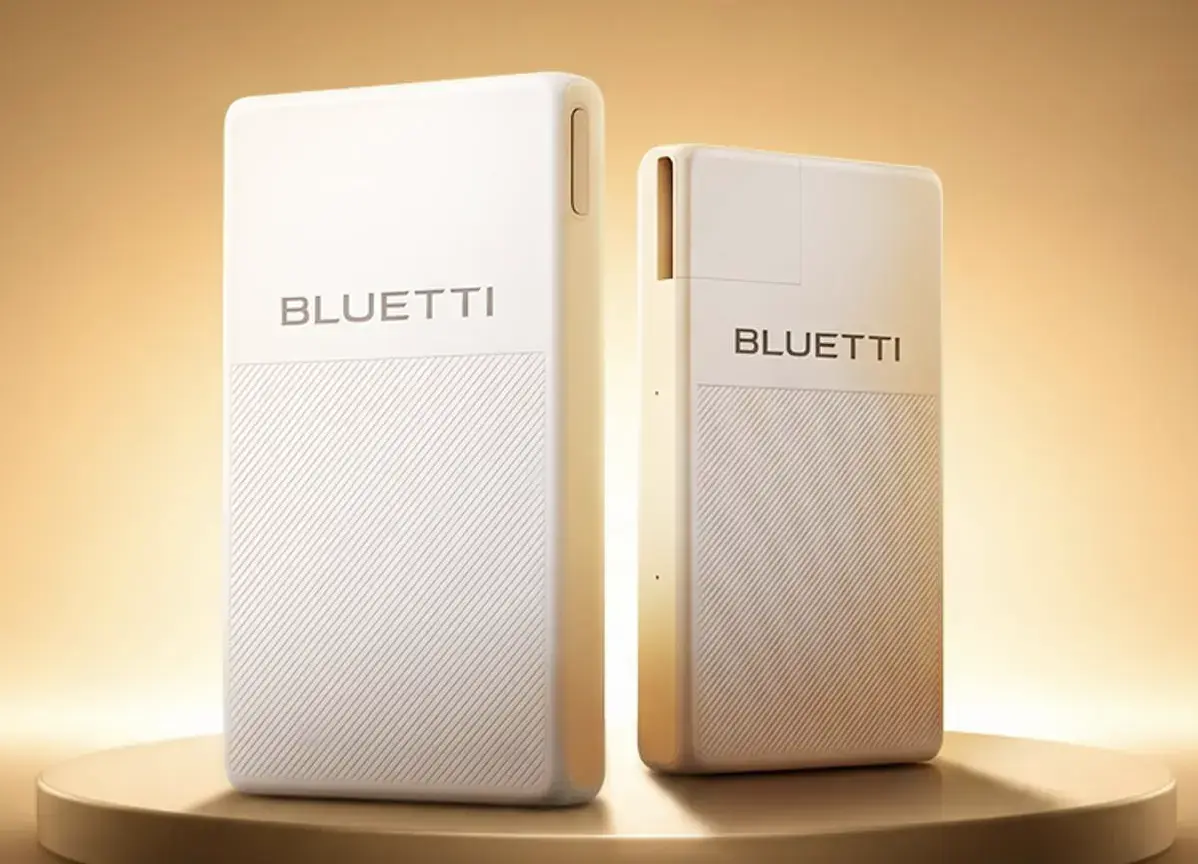
The FridgePower is a fairly unusual power station.
Inside is a 2,016Wh LiFePO₄ battery paired with a 1,800W AC inverter, but instead of the usual chunky portable-power-station design, BLUETTI has built it into a long, slim enclosure intended to live beside or around a refrigerator.

It also supports up to 1,000W of solar input, and additional BlueCell batteries can expand the system from 2,016Wh to as much as 8,064Wh.
The feature that really matters to me, though, is the UPS.
The refrigerator stays plugged into the FridgePower and the FridgePower stays connected to the mains. If grid power disappears, BLUETTI quotes a switchover time of 10ms or less.
There is nothing for me to reconnect and, importantly, I do not need to be home when it happens. BLUETTI lists the same 2,016Wh capacity, 1,800W output, solar capability and sub-10ms UPS behaviour for FridgePower in its product information.
Another small but important part of that design is standby efficiency. BLUETTI says FridgePower’s self-consumption is around 4W, which matters for a device intended to sit permanently between the wall and a refrigerator. A conventional portable power station can also provide UPS-style backup, but many consume noticeably more power just keeping their inverter electronics active. I have not measured the FridgePower’s real idle draw yet, so that is another figure I want to verify in the follow-up review.
That automatic behaviour is what separates this from simply owning another portable battery.
A conventional power station can absolutely run a refrigerator, but it normally requires somebody to get it out, connect everything and decide how the available capacity should be allocated.
FridgePower just sits there waiting.
Why I kept my EcoFlow
Initially, I wondered whether I should sell my EcoFlow RIVER 2 Pro and simply replace it with one much larger battery.
I eventually decided that would actually leave me with a less resilient setup.
The EcoFlow is still useful because it is portable. During an outage I can use it wherever it is needed for the router, phones, lights, laptops, fans or other relatively small loads. I also already have a 160W solar panel for it.
Meanwhile, the FridgePower has one job.
Keep the fridge running.
That gives me two independent battery systems, two different ways of allocating power and potentially two separate charging sources.
It is basically the same philosophy I wrote about in How to Design a Reliable Smart Home Using Datacenter Principles. After working around datacenter infrastructure for years, it is difficult not to think about single points of failure. You assume that individual parts will eventually fail and try to avoid designing everything around one device.
A single huge battery would certainly be convenient. Two independent batteries give me options.
I considered going much further
FridgePower was not my first look at home energy storage.
I have spent quite a bit of time researching rooftop solar and permanently installed home batteries, including going through the process of planning an Anker SOLIX X1 system.
A proper home battery is obviously a much more capable solution.
Instead of protecting one appliance, it can keep multiple circuits or potentially most of the house powered. Combined with enough rooftop solar, it can also reduce grid consumption during normal use rather than simply sitting there waiting for an emergency.
The problem is that you quickly move into a completely different price category.
Once solar panels, a large battery, installation and the necessary electrical work are included, the difference is not a few hundred dollars. It can be thousands.
I still like the idea of a proper home battery, particularly because disaster resilience is one of my main reasons for wanting one, but FridgePower addresses one of my biggest immediate concerns without requiring changes to the house.
It is a middle ground I had not really considered before.
Why I chose 2kWh rather than 4kWh
BLUETTI also sells expansion batteries for the FridgePower.
Each BlueCell 200 adds another 2,016Wh, so one expansion battery doubles the system to 4,032Wh. Up to three can be connected for a total capacity of 8,064Wh.

I was tempted.
If the purpose of the system is emergency preparedness, more battery capacity is obviously attractive. But there is a point where buying additional batteries because something might happen stops being particularly rational.
I bought my FridgePower through the Japanese launch campaign and paid approximately $714 including the platform fee after using a coupon. Adding another 2kWh battery at the time would have added roughly another $635 to the purchase.
I decided I would rather find out what the base unit can actually do first.
My refrigerator is a 470-litre Haier JR-GX47A rated at 285kWh per year, or roughly 0.78kWh per day under the standard test conditions used for the energy label. On paper, that suggests the FridgePower’s 2,016Wh battery could get somewhere around two days of realistic use once inverter losses and the FridgePower’s own consumption are taken into account. That is still only an estimate, though, and I would much rather publish a proper runtime test than pretend a calculation is the same thing as real-world performance.
If I eventually discover that 2kWh is not enough, I can add another battery later.
I lose very little by waiting.
Solar is what makes longer outages interesting
A battery without a way to recharge it is ultimately just a countdown timer.
That is why the 1,000W solar input interests me almost as much as the battery itself.
I am not about to cover the garden in solar panels purely to recharge the fridge, but the ability to add meaningful solar generation changes what the system could become during an extended outage.
With no solar input, 2kWh buys me a finite amount of refrigeration.
With sufficient solar input during the day, that same battery could potentially keep cycling for considerably longer.
Obviously that depends heavily on the weather, panel size, orientation and actual refrigerator consumption. A typhoon is also not exactly the ideal time to expect perfect solar generation.
But the option is there.
It also means I can keep my existing smaller panel and EcoFlow as a completely separate system rather than building everything around one solar generator.
Again, redundancy.
Installation was not quite as obvious as I expected
One of BLUETTI’s selling points for FridgePower is the slim design, and many of the promotional installations show it sitting on top of a refrigerator.
That was originally where I assumed mine would go too.
My fridge complicated things slightly because there is a large raised metal service cover across part of the top. There was technically enough space to make something work, but after looking at the weight of the FridgePower and thinking about why I bought it in the first place, putting a roughly 20kg battery high above the floor suddenly felt a little counterproductive.
If earthquakes are one of the scenarios I am preparing for, keeping a heavy battery low makes much more sense.
I therefore installed mine on the floor beside the fridge, underneath an adjacent kitchen counter.
The only real complication was the power cable. The supplied cable was agonisingly close to reaching the wall outlet but came up only a few centimetres short once everything was routed properly.
Because the FridgePower is a relatively high-power appliance and uses a protective earth connection, I did not want to solve that with a random lightweight extension cable. I ended up using a properly rated grounded Japanese extension arrangement that maintains the earth connection back to the wall socket.
It is not quite the brochure-perfect installation with the battery disappearing above the refrigerator, but for my house I actually prefer it this way.
It is low, accessible and much less likely to become a 20kg projectile during a serious earthquake.
Setting it up as a real UPS
Once connected, the software side was straightforward.
BLUETTI offers several operating modes, including options intended for solar priority and time-of-use electricity tariffs.
I have left mine in Standard UPS mode.
My current electricity tariff does not have cheaper overnight electricity and expensive peak periods, so deliberately charging and discharging the battery every day would achieve very little. I would lose some energy through conversion and add unnecessary battery cycles without meaningfully reducing my bill.
If I eventually move to a genuine time-of-use tariff, that changes. FridgePower could charge during the cheaper window and run the fridge from battery during expensive periods while still retaining an emergency reserve.
For now, though, emergency backup comes first.
I have also set the maximum state of charge to 95% rather than 100%.
LiFePO₄ batteries are extremely durable, but I do not need the battery sitting at its absolute maximum state of charge every minute of the year. Giving up 5% costs me only about 100Wh of nominal capacity while reducing the amount of time the cells spend completely full.
If severe weather is approaching or there is another reason to expect an outage, I can simply move it back to 100%.
It feels like a reasonable compromise between battery longevity and emergency capacity.
Where Jackery fits into this
BLUETTI is not the only company pursuing this idea.
I also looked closely at the Jackery SlimPower H1, which takes a very similar approach but prioritises a smaller and lighter design.
The Jackery has 1,024Wh of capacity, an 800W inverter and up to 500W of solar input, while the BLUETTI gives me 2,016Wh, 1,800W and up to 1,000W of solar.
The Jackery is substantially lighter, which is a genuine advantage for something intended to sit around kitchen appliances.
If my goal had simply been to survive short outages, I could quite easily have gone in that direction.
What pushed me toward the FridgePower was the extra capacity and, particularly, the ability to add more batteries later.
For disaster preparedness, I preferred having the option to turn this into a 4kWh or larger system without replacing the main unit.
Whether that was worth paying more for is something I will have a better answer to after actually living with it for a while.
It is not a whole-home battery, and that is fine
There is a danger with backup power of continuously moving the goalposts.
First you want enough electricity to charge your phone.
Then you want the internet.
Then the fridge.
Then the lights.
Eventually you are pricing up enough batteries and inverters to run an air conditioner, induction cooker and the rest of the house as if the grid never disappeared.
FridgePower does not solve all of that.
If there is a prolonged outage, my house is still experiencing a power cut. I am still going to make decisions about what is important and what can remain switched off.
But the fridge should continue working automatically, and my portable battery remains available for everything else.
For the amount I spent, that feels like a much more meaningful improvement to my emergency setup than simply buying another generic power station and storing it in a cupboard.
Was it actually necessary?
Probably not in the sense that most of the technology I write about is not strictly necessary.
The more useful question is whether it solves a genuine problem.
For me, it does.
I live somewhere where earthquakes are a real possibility and severe weather can disrupt infrastructure. This year has provided more than enough reminders that those risks are not theoretical.
Before buying the FridgePower, my emergency-power plan depended heavily on one relatively small portable battery.
Now the refrigerator has its own automatic reserve. The EcoFlow remains available for communications and other essentials. Both systems can potentially be recharged separately, and neither depends entirely on the other.
I am much happier with that arrangement.
The interesting part now is seeing how well it performs outside a spec sheet.
I want to measure how much power my refrigerator actually consumes through the FridgePower, how long the battery lasts in a simulated outage, how much energy the system itself consumes while operating as a UPS and how useful solar charging really is when the battery is powering a fridge continuously.
Those results will determine whether 2kWh was enough or whether I eventually add another BlueCell.
For now, though, the logic behind buying it has held up.
I did not need one enormous battery capable of running everything.
I needed a reliable way to make sure one particularly important appliance keeps running when the grid does not.
And giving the fridge its own battery turned out to be the solution that made the most sense.
Interested in the BLUETTI FridgePower?
I bought the FridgePower featured in this article with my own money. If you’re considering one yourself, you can check current pricing through either of these links:
Disclosure: The links above are affiliate links. If you make a purchase through them, I may earn a commission at no extra cost to you. This helps support Rack 2 Reality and has no influence on what I write or recommend.