Solar and home battery systems turned out to be far more difficult to approach than I expected when I first started looking into them.
Most information online jumps straight into specifications, capacities, and acronyms, often without stopping to explain what any of it actually means in day to day use. Without a background in electrical engineering or energy systems, it is easy to feel overwhelmed before you even understand whether a system makes sense for your home.
That problem is compounded by the fact that many articles assume a perfect scenario. A permanent home, predictable usage, ideal solar conditions, and a buyer who is confident they will never move. For a lot of people, that simply is not reality.
Once I got past the surface level marketing, I realised how little practical, experience led information there actually was from the point of view of a homeowner trying to make a sensible decision.
What follows is me working through the decision in public: how I expect to use a home battery system, what the planning and quotation process actually involves, and how the Anker SOLIX X1 compares to both other fixed home battery systems and large portable power stations from brands like EcoFlow and Bluetti.
The goal is not to tell anyone what to buy. It is to help people understand the benefits, the drawbacks, and the trade offs involved in what is often a very large financial decision.
Why I Am Considering a Home Battery System
This was not something I arrived at quickly. I went back and forth on it more than I expected, largely because of the cost and the long term commitment involved.
The primary goal is to rely less on the grid.
Electricity grids are highly reliable until they are not. Extreme weather, infrastructure damage, or unexpected events can all lead to outages that disrupt daily life far more than most people anticipate.
A home battery system changes that relationship. Instead of being entirely dependent on the grid, you gain stored energy that can power essentials such as lighting, refrigeration, networking equipment, and heating or cooling depending on the season.
In regions where natural disasters or severe weather are a real risk, outages are not hypothetical. They are something households need to plan around rather than dismiss.
Day to Day Use Versus Emergency Use
One thing that took me a while to get comfortable with was separating how the system would be used most of the time from how it would be used in a worst case scenario.
This is not an emergency only setup.
On a day to day basis, a battery system can be used to smooth household energy usage by storing energy when demand is low and using it when demand is high. It can reduce exposure to peak pricing and provide stability during brief outages or brownouts that would otherwise reset appliances or knock out connectivity.
In an extended outage scenario, priorities shift to essentials rather than full household usage. That distinction is important when sizing a system realistically.
The appeal is not just backup power. It is knowing that when the grid goes down, life does not immediately stop.
What Is the Anker SOLIX X1
I came across the SOLIX X1 fairly early on in my research, but it took a while for it to click why it was being positioned differently to a lot of other systems.
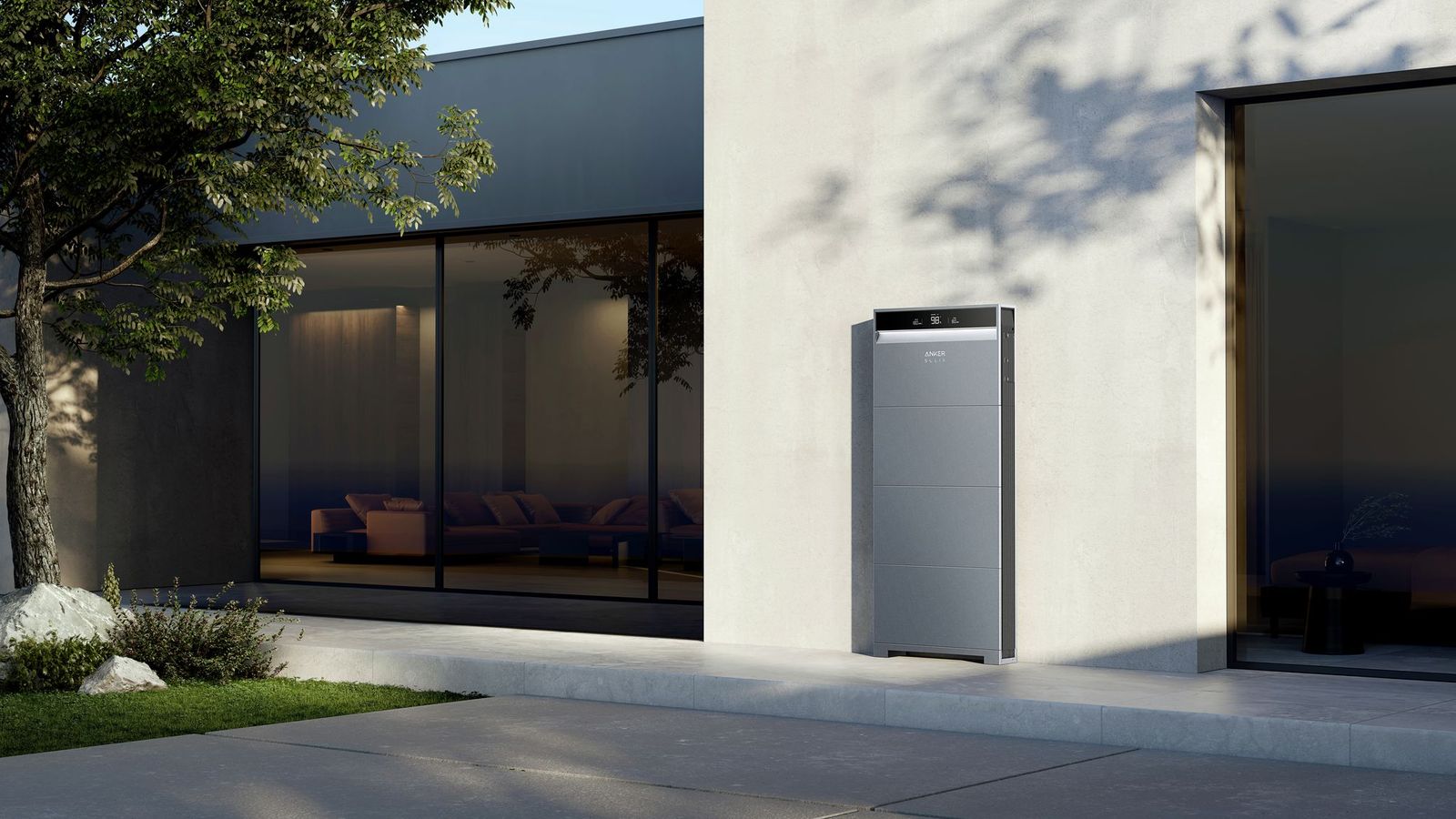
The Anker SOLIX X1 is a modular home energy storage system designed to scale over time rather than forcing homeowners into a fixed capacity from day one. On paper that sounds like a small distinction, but in practice it changes how you think about the entire purchase. This was the first aspect of the system that genuinely caught my attention.
At a high level, this means:
- Modular battery units that can be added over time
- Integrated inverter and energy management
- Support for backup power operation
- Long term warranty coverage depending on region
- Designed to integrate with rooftop solar systems
Rather than oversizing the system upfront, the X1 allows capacity to grow as real world usage becomes clearer.
Warranty Coverage and Expected Lifespan
This section took me longer to get my head around than I expected, mostly because warranty language can be surprisingly opaque if you are not used to reading it.
Warranty terms vary by region, but the design intent is clearly long term residential use rather than short lifecycle consumer hardware.
In some markets, the system is offered with:
- Up to 25 year warranties on solar panels
- Up to 20 year warranties on battery and power management units
These figures are at the higher end of what is currently offered in the residential energy storage market.
Long warranty periods are not just a marketing feature. They reflect expected cycle life, thermal management design, and long term degradation modelling. Modern lithium iron phosphate based systems are typically chosen for residential installs because of their stability, safety characteristics, and slower degradation over time.
The expectation with a system like this is a usable lifespan measured in decades rather than years.
Modularity and Expansion Over Time
This is the part of the system I kept coming back to while comparing options, because it has a much bigger impact on long term flexibility than I initially realised.
What actually matters with the SOLIX X1 is how modularity is implemented, not just the fact that it exists.
Each battery module is treated by the system as an individual storage unit that is managed collectively through the inverter and energy management system. Capacity is pooled at the system level, but the batteries themselves remain discrete modules rather than a single monolithic pack.
This matters because it allows additional battery modules to be added later without replacing or reworking the existing installation. Expansion is additive rather than duplicative.
In practical terms, this allows homeowners to:
- Install only the capacity they actually need at the start
- Add more storage later as usage patterns become clear
- Expand without having to replace the inverter or core system
- Avoid paying for excess capacity upfront
This is where the difference starts to matter in real world planning.
With systems such as the Tesla Powerwall, each unit is a sealed battery with a fixed capacity. If you underestimate your needs, expansion means installing an entire additional Powerwall. While multiple units can be stacked, they are typically sized, planned, and installed together to ensure correct system design and load balancing.
As a result, Powerwall installations tend to push homeowners toward buying all required capacity upfront. Adding more storage later is possible, but often less straightforward and more expensive than modular expansion.
By contrast, the X1 approach allows capacity to grow incrementally. You are not doubling capacity in large steps, you are extending it in smaller, controlled increments.
For most households, accurately predicting ideal battery capacity before living with a system is difficult. Modularity reduces that risk and makes long term planning far more flexible.

Comparison With Other Fixed Home Battery Systems
Many fixed home battery systems target the same core use case but approach it differently.
Some prioritise high single unit capacity and tight software integration, while others focus on conservative designs backed by long established installer networks. These systems can work very well, but they often require larger upfront commitments and offer limited flexibility after installation.
The X1 sits in the middle ground. It combines a modular approach with long warranty coverage and a design philosophy that treats the battery as part of the home infrastructure rather than a one off appliance.
Home Battery Systems Versus Large Portable Power Stations
This is a comparison I kept coming back to while researching, because on the surface the price difference feels hard to justify.
A common point of comparison is between fixed home battery systems like the SOLIX X1 and large portable power stations from brands such as EcoFlow or Bluetti.
At first glance, portable power stations appear far cheaper and more flexible. They can be moved, do not require installation, and often support solar charging.
However, they serve a very different role.
Portable power stations are well suited for:
- Camping and outdoor use
- Temporary backup during short outages
- Powering individual appliances
- Situations where installation is not possible
Fixed home battery systems are designed for:
- Automatic whole home or partial home backup
- Seamless switchover during outages
- Integration with household wiring
- Long term daily use over many years
While portable power stations can act as a stopgap or supplementary solution, they do not replace a permanently installed system. Capacity, output, longevity, and automation are all fundamentally different.
The higher cost of a fixed system reflects its role as permanent home infrastructure rather than portable equipment.
Selling Power Back to the Grid
This was another area that initially sounded more attractive than it turned out to be once I looked into it properly.
Selling electricity back to the grid can be a benefit where available, but it should not be treated as the primary justification for installing a battery system.
In many markets, buy back rates are significantly lower than retail electricity prices. As a result, using stored energy yourself is usually more valuable than exporting it.
Export capability is best seen as an optimisation rather than a guarantee of financial return.
What Will Decide Whether This Is Worth It
By this point in the process, I found it useful to step back and write down what actually mattered to me, rather than what looked good on a spec sheet.
Before committing to a system like this, there are a few criteria that matter more than headline specifications.
Non negotiables
These are the points I found myself coming back to repeatedly, regardless of which product or installer I was looking at.
For my situation, the most important requirements are:
- Outage resilience, with automatic switchover during power cuts
- Long warranty coverage that reflects long term use rather than short product cycles
- Automation and intelligent energy management rather than manual intervention
In regions where earthquakes or severe weather are a real risk, backup power is not a luxury feature. It is a practical consideration.
Potential deal breakers
There are also clear factors that could stop this from making sense entirely:
- Overall cost, especially if financing or a loan is required
- Poor installer support or unclear responsibility for long term maintenance
- A lack of clear expansion options if needs change
Subsidies and incentives can help offset costs in some regions, but they are often complex. Clear guidance from installers on what is available and how it applies would be a significant factor in the decision.
Payback expectations
This is where I had to be honest with myself rather than optimistic.
Financial payback is a nice to have rather than the primary driver.
If the system can meaningfully reduce electricity costs over time or help offset financing costs, that is a strong bonus. However, resilience, reliability, and peace of mind matter more than chasing a fast break even point.
Cost versus peace of mind
Lower upfront cost is appealing, but not at the expense of reliability or longevity. A system that fails early or cannot be supported long term would undermine the entire point of the investment.
What Comes Next
The next step for me is gathering detailed installation quotes and proposals and comparing them properly. This is the part of the process I am in right now.
That means looking at more than just the final price. System design, warranty handling, automation features, installer support, and long term flexibility all matter. These details often make a bigger difference than small variations in capacity or headline specifications.
Once those proposals are in hand, the plan is to sit down and evaluate them against real world needs. That includes how the system would be used day to day, how it would behave during outages, and whether it still makes sense given the possibility of a move in around five years.
Resale value is part of that consideration. A home battery system is unlikely to return its full cost at sale, but if it improves the appeal or value of the property, that changes the equation.
In future posts, I plan to break down the quotes received, explain the differences between proposals, and walk through the decision making process step by step. The aim is to make this as transparent as possible, because these are exactly the questions most people have when they start looking into home battery systems.
The real test will be whether the numbers, flexibility, and long term value still make sense once everything is on the table.
