Tag: UGREEN

  • Why I Chose TP-Link Tapo Over UGREEN, Reolink and Eufy for My Home Security Upgrade

    Why I Chose TP-Link Tapo Over UGREEN, Reolink and Eufy for My Home Security Upgrade

    Disclosure: As an Amazon Associate, I earn from qualifying purchases. Some links in this article are affiliate links, which help support Rack2Reality at no additional cost to you.

    I’ve been planning to replace my existing home security cameras for some time, and until recently, I thought I had a fairly good idea of what that upgrade would look like. Having already invested in UGREEN’s NASync ecosystem, its upcoming SynCare security cameras seemed like a natural choice. The hardware looked promising, the emphasis on local AI processing was appealing, and the prospect of storing recordings directly on my existing NAS meant I wouldn’t need to introduce another storage appliance into the house. It was exactly the sort of integration I’d hoped to see as UGREEN expanded beyond network-attached storage.

    Unfortunately, things haven’t quite worked out that way. UGREEN’s subsequent HomeAgent announcement revealed that SynCare cameras would require an entirely separate hardware platform, with direct NASync integration no longer part of the launch plans. That was disappointing enough to make me reconsider the entire system, particularly when the entry-level HomeAgent HA100 carries a proposed $1,599 retail price, or $799 for early crowdfunding backers. I wasn’t interested in buying another NAS, especially one that would duplicate functionality I already have, simply to operate a handful of security cameras.

    As frustrating as that announcement was, it forced me to go back to the drawing board and take a much closer look at what other manufacturers were offering. That research eventually led me to Reolink, Eufy and TP-Link Tapo, all of which have developed increasingly capable security camera ecosystems with local recording, AI detection and PoE connectivity. After spending considerable time comparing their products, I ultimately decided to purchase two Tapo C575D cameras. Not because they’re necessarily the most technically advanced cameras available, but because they offer almost everything I was looking for without requiring an excessive investment in hardware I don’t need.

    UGREEN Had Everything Going for It, Until HomeAgent

    UGREEN SynCare security cameras displayed alongside the HomeAgent AI hub and solar-powered camera.
    UGREEN’s SynCare cameras and HomeAgent promised an integrated AI security ecosystem, but the lack of direct NASync support ultimately changed my plans.

    When UGREEN first announced SynCare at CES 2026, I was genuinely excited about the direction the company appeared to be taking. I’ve been using its NASync DXP2800 for well over a year, and while the platform certainly has its limitations, I’ve generally been impressed by the hardware and how much I’ve been able to accomplish with it. As I discussed in my NASync DXP2800 review, the NAS quickly became more than somewhere to store files. I use Docker to run various services, including Home Assistant, which already manages much of my smart home. I’d also been considering using it for security camera recording, so the prospect of adding SynCare cameras to that existing infrastructure was particularly attractive.

    The SynCare OD600 Pro was the camera that initially caught my attention. Its triple-lens arrangement combines an 8MP overview camera with two additional 5MP cameras, providing 18MP of combined resolution alongside motorised tracking, PoE connectivity and AI-powered detection. At an announced crowdfunding price of $159, or $269 at retail, the OD600 Pro looked extremely competitive against established alternatives. I covered the original announcement in my first look at UGREEN SynCare, and at the time, I genuinely thought I’d found the foundation for my next home security system.

    What followed was considerably less encouraging. As I explained in my previous article, UGREEN HomeAgent Looks Impressive, But Do NASync Owners Actually Need It?, UGREEN subsequently confirmed that SynCare cameras would not connect directly to existing NASync systems at launch, with no near-term plans to introduce that functionality. Instead, the cameras are designed around HomeAgent, a separate platform combining NAS storage, security recording, smart home management and considerably more powerful local AI processing. The technology itself is interesting, and I can understand the appeal of having those capabilities integrated into a single device. Unfortunately, it also means purchasing another expensive appliance alongside hardware I already own, which rather undermines one of the main reasons I was interested in SynCare to begin with.

    What makes that decision particularly disappointing is that the cameras themselves still look excellent. I would have been perfectly willing to pay extra for advanced AI processing if UGREEN had offered an optional upgrade path for existing NASync customers, but requiring HomeAgent simply to use the cameras is considerably harder to justify. Even at its reduced $799 crowdfunding price, the HA100 represents a substantial additional investment. Two OD600 Pro cameras and the cheapest advertised HomeAgent package would cost $1,117 before accounting for additional storage or installation, which is a significant amount of money for what was originally supposed to be a relatively straightforward camera upgrade.

    I haven’t lost interest in UGREEN because its cameras are inadequate or because HomeAgent lacks potential. Quite the opposite. I was interested precisely because SynCare looked so promising, and it’s frustrating to see that potential locked behind another expensive piece of hardware. Perhaps UGREEN will eventually reconsider its approach and introduce direct NASync integration, but with no confirmed roadmap, I’m not prepared to delay my security upgrade indefinitely. The OD600 Pro remains an interesting product, but the ecosystem surrounding it no longer makes sense for me.

    Back to the Drawing Board: What Did I Actually Need?

    Once I’d ruled out UGREEN, I had to reconsider what I actually wanted from a security camera system rather than simply looking for the closest alternative to the OD600 Pro. My existing setup consists of two relatively basic SwitchBot cameras positioned around the front of the house, one covering the entrance and another looking across the front of the property. They’ve served their purpose reasonably well for checking deliveries and keeping an eye on activity outside, but they’re not particularly sophisticated, and their positioning leaves some areas inadequately covered. I wanted something more reliable, with better image quality, improved detection and the ability to maintain recordings locally without depending on cloud storage or additional subscriptions.

    The layout of my house also introduces some complications that aren’t immediately obvious when comparing camera specifications. I live in a residential neighbourhood where houses are positioned relatively close together and space around the property is limited. The front faces a residential road, while the sides and rear are separated from neighbouring properties by narrow passages. There’s no long driveway leading towards the entrance, either. People approaching the house generally arrive from one direction or the other along the road before entering the parking area, which makes camera positioning and tracking rather more important than simply pointing a wide-angle lens towards the street.

    These relatively short distances also made me question some of the specifications manufacturers emphasise in their marketing. A camera capable of monitoring a large garden or driveway isn’t necessarily ideal for a compact property, particularly if its enormous field of view includes more of the neighbours’ houses than my own. Similarly, while 4K recording is attractive, I don’t automatically need the highest possible resolution at every location. Sensor performance, lens selection, usable detail at night and the ability to capture somebody approaching from either side can all be more important than the headline megapixel count. Camera dimensions matter too, especially when installing equipment near a residential entrance where a large surveillance unit would look rather out of place.

    One requirement I wasn’t willing to compromise on was Power over Ethernet. As I discussed in my earlier article on improving the consistency of my home network, intermittent delays and inconsistent device responsiveness have been recurring frustrations, particularly with smart home automations and camera live feeds. PoE allows a single Ethernet cable to provide both power and network connectivity, eliminating separate power supplies at each camera location. I also wanted local AI detection, infrared night vision that wouldn’t require illuminating neighbouring houses, and enough flexibility to expand the system gradually. With those requirements established, the number of genuinely suitable options became considerably smaller.

    Reolink and Eufy: Impressive Technology, More Than I Needed

    Reolink was initially one of the strongest candidates, largely because it already offers the sort of established PoE camera ecosystem I was looking for. Its extensive range of wired cameras, dedicated NVRs and local storage options made it an obvious alternative to UGREEN, particularly since the cameras don’t require an expensive new AI appliance just to provide basic recording functionality. The Reolink OMVI 3i PoE was especially interesting, combining a 10MP panoramic overview with a separate 8MP tracking camera. Its 180-degree horizontal coverage, automatic framing and synchronised tracking functionality were similar to the features that had originally attracted me to SynCare, while its maximum recording frame rate of 20fps was also higher than some competing models. At $229.99 during the recent Amazon Prime sale, it was a serious contender.

    However, the more I considered the practicalities of installing one, the more I realised that much of its capability would be wasted on my property. The OMVI 3i measures approximately 202 × 151 × 125mm and weighs 1.3kg, making it a substantial piece of equipment to mount near a relatively small entrance. Its panoramic coverage is impressive, but I don’t have an enormous area to monitor, and much of that field of view would extend beyond the parts of the property I’m actually interested in. I also considered the smaller Reolink OMVI 2i PoE, although I was increasingly questioning whether I needed such an elaborate camera arrangement in the first place.

    Two Reolink OMVI panoramic security cameras with integrated motorised tracking lenses.
    Reolink’s OMVI cameras combine panoramic coverage with dedicated tracking lenses, offering more extensive surveillance capabilities than I needed for my property.

    To get a better idea of what would actually be useful, I went outside and experimented with my phone’s camera, comparing different viewing angles from approximately where I intended to mount the new security cameras. It was hardly a scientific test, and a phone camera isn’t a substitute for checking the actual field of view of a surveillance camera, but it gave me a much better understanding of how much coverage I realistically needed. Using a viewing angle similar to the Tapo C575D’s advertised wide-angle lens, I could already see almost everything I wanted to monitor. Anything beyond that was largely unnecessary, which made the argument for installing something as substantial as the OMVI 3i considerably less convincing. Reolink hadn’t suddenly become a poor choice, but I was effectively considering paying more for capabilities that offered little practical benefit in my situation.

    Four Eufy S4 Bullet-PTZ security cameras alongside a dedicated network video recorder and 4TB hard drive.
    Eufy’s PoE S4 system combines advanced tracking cameras with a dedicated NVR, offering extensive capabilities at a substantially higher initial cost.

    Eufy was another manufacturer I investigated, particularly after discovering its PoE NVR Security System S4. The four-camera package includes two advanced Bullet-PTZ units alongside two conventional 4K cameras, all managed through a dedicated NVR. Each Bullet-PTZ unit combines a fixed 4K overview with a separate motorised tracking camera, while Eufy also advertises automatic framing, cross-camera tracking and local AI-powered video searches. The system includes an eight-port NVR with a pre-installed 2TB hard drive and can expand to 16 recording channels with additional networking equipment. It’s a considerably more comprehensive package than simply buying a couple of cameras, and I can understand its appeal for someone installing an entire surveillance system from scratch.

    Unfortunately, that was also the problem. Eufy’s S4 package carries a US list price of $1,099.99, and its more advanced recording and AI features are designed around Eufy’s own NVR platform. While the amount of included hardware helps explain the price, I wasn’t looking to install four cameras or purchase another substantial recording appliance immediately. More importantly, Eufy explicitly states that its PoE S4 cameras require its proprietary NVR and cannot operate independently or connect to third-party NVR systems. Its NVR also lacks NAS integration, meaning I wouldn’t be able to use my existing storage infrastructure in the way I’d originally intended. After UGREEN’s decision to restrict SynCare to HomeAgent, committing to another proprietary recording platform was exactly what I wanted to avoid. While Eufy’s hardware and AI capabilities remain impressive, the combination of cost and ecosystem restrictions made it an easy option to eliminate.

    Ultimately, both Reolink and Eufy offered more than enough technical capability, but that didn’t necessarily make either the right purchase. Reolink’s advanced panoramic cameras were larger and more sophisticated than I realistically needed, while Eufy’s integrated approach required a much greater initial investment. I was looking for something that provided reliable coverage, useful detection and sensible storage options without turning a relatively straightforward upgrade into an unnecessarily expensive project. That’s where TP-Link’s newer Tapo cameras started to become particularly interesting.

    Why I Ultimately Purchased the Tapo C575D

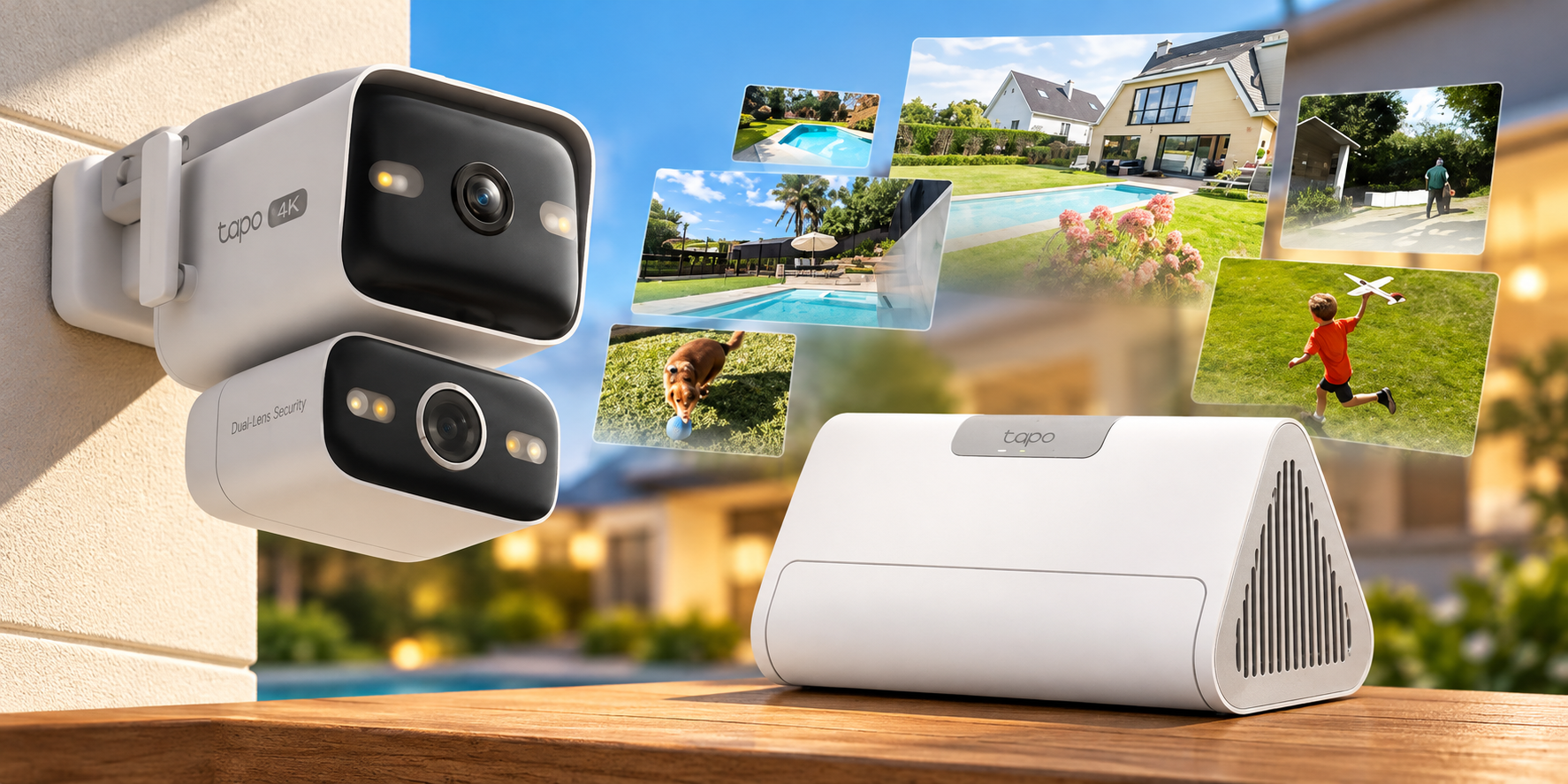
    TP-Link Tapo C575D PoE security camera with fixed 4K wide-angle lens, motorised tracking lens and dual-camera live view.
    The Tapo C575D combines a fixed 4K wide-angle camera with a separate 4K tracking lens, allowing both views to operate simultaneously.

    The Tapo C575D was probably the camera that most significantly changed my impression of TP-Link’s security ecosystem. I’d previously associated Tapo primarily with inexpensive consumer Wi-Fi cameras, but the C575D offers a considerably more sophisticated design. It combines two independent 4K cameras within a relatively compact housing, with a fixed wide-angle lens providing 170 degrees of diagonal coverage and a separate 8mm telephoto lens mounted on a pan-and-tilt mechanism. The two views operate simultaneously, allowing the fixed lens to maintain an overview while the motorised camera follows subjects moving through the scene. For my entrance, where people can approach from either direction, that arrangement appeared particularly well suited to the coverage I wanted.

    Both lenses record at 3840 × 2160, giving the C575D a combined 16MP configuration, with support for person, vehicle and pet detection, automatic tracking, infrared night vision and 802.3af/at PoE. TP-Link also includes RTSP and ONVIF Profile S support, allowing the cameras to work with compatible third-party recording software rather than depending entirely on Tapo’s own storage products. This was an important consideration given that I already own a NAS, and it means I can choose how to manage recordings without having to replace the cameras if my requirements change. Local microSD recording is also supported, and the basic detection features don’t require a Tapo Care subscription.

    There are compromises, of course. The C575D records at a maximum of 15fps, compared with 20fps on the Reolink OMVI 3i, which could become noticeable when reviewing faster movement. Its advertised 18× zoom is digital rather than optical, so it shouldn’t be confused with a camera offering genuine optical zoom. The dedicated telephoto lens does provide a narrower native field of view, which should help capture more detail at a distance, but digital enlargement cannot recover information the sensor never recorded. These are limitations worth acknowledging, although neither seemed particularly significant given the relatively short distances I’m monitoring and what I’d already established from experimenting with my phone’s camera.

    I also considered other Tapo models, including the C545D and C325WB. The C545D offers a similar dual-lens concept, but its requirement for a separate power supply made it unsuitable for the PoE installation I wanted. The C325WB was more interesting for fixed-position monitoring, particularly where low-light performance matters, although PoE support depends on the hardware version. Rather than purchasing identical cameras for every location, I liked the idea of using dual-lens tracking where it would actually be useful and more conventional fixed cameras elsewhere. That would allow me to expand the system gradually without paying for unnecessary features in areas that don’t need them.

    The deciding factor was that the C575D addressed almost every requirement I’d established without introducing another expensive dependency. The wide-angle lens appeared capable of covering nearly the entire area I wanted to monitor, the separate tracking camera offered additional flexibility, and PoE meant I could install everything using a single network cable per camera. RTSP and ONVIF support also preserved the option of recording directly to my existing NAS, something that had originally been one of UGREEN’s biggest selling points. During Amazon’s October Prime sale, the C575D was available for $139.99 in the US, making the decision considerably easier. I ultimately purchased two for $279.98, substantially less than I had originally expected to spend when I first started researching the alternatives.

    That doesn’t mean I’m expecting the C575D to outperform every more expensive camera available. Reolink’s panoramic models and Eufy’s advanced tracking systems offer capabilities that could be genuinely useful for larger or more complicated installations. However, after comparing their specifications against what I actually needed, I couldn’t find a compelling reason to spend significantly more. Tapo wasn’t simply the cheapest compromise I could find. It offered the coverage, connectivity and recording flexibility I wanted, while leaving me with enough room in the budget to invest in the infrastructure needed to install everything properly.

    The Tapo H500 Makes the Ecosystem Even More Compelling

    As interesting as the cameras are, the part of TP-Link’s ecosystem that has probably surprised me most is the Tapo H500. On the surface, considering another dedicated recording hub might seem rather contradictory after criticising UGREEN for requiring HomeAgent, but there’s an important difference. With compatible Tapo cameras, the H500 is optional. I could record directly to my NAS using RTSP or ONVIF, use microSD cards in the cameras themselves, or purchase the hub for its additional functionality. In UGREEN’s case, HomeAgent is currently required to use SynCare cameras within the company’s intended ecosystem. With Tapo, I’m interested in the H500 because of what it offers, not because purchasing it is necessary to make the cameras work.

    The H500 supports up to 16 compatible Tapo cameras, including the C575D V1, although only four cameras can use continuous recording simultaneously. It provides centralised local storage with support for a 2.5-inch SATA drive of up to 16TB, while its local AI processing introduces capabilities such as facial recognition, enhanced detection and more targeted notifications. TP-Link also advertises improved detection capabilities for compatible cameras that lack certain AI features themselves, potentially extending the usefulness of older hardware. The AI enhancement system has its own processing limits, with dual-lens cameras consuming additional capacity, so that’s something I’ll need to consider if I expand beyond my initial two C575Ds. The important point is that the H500’s advanced features are supported by local processing rather than requiring a cloud subscription for every camera.

    Facial recognition is one feature I’m particularly interested in testing. Ordinary person detection tells me that somebody has entered an area, but it doesn’t necessarily distinguish between a familiar visitor and someone I don’t recognise. The H500 advertises the ability to identify known faces and provide more targeted notifications, which could make the system considerably more useful than a collection of cameras generating alerts independently. Its centralised playback and event organisation also appeal to me, particularly as I eventually add cameras around other parts of the property. Whether these capabilities work reliably in practice remains to be seen, but the prospect of adding meaningful local AI functionality without relying on a cloud subscription is attractive.

    The biggest surprise, however, is the price. The H500 spent much of its early availability selling for approximately $149.99 on Amazon US, with occasional promotional discounts taking it lower. Although its listed price subsequently increased to $199.99, it remains considerably more affordable than UGREEN’s HomeAgent HA100. The two products aren’t directly equivalent, and HomeAgent’s greater processing power, additional storage capabilities and broader smart home ambitions account for some of the difference. Nevertheless, for someone primarily interested in security camera recording and local AI detection, it’s difficult to justify spending $799 on UGREEN’s promotional package when Tapo offers such an extensive feature set for considerably less.

    Using the prices available when I purchased my cameras, two C575Ds cost $279.98. Adding an H500 at its $199.99 listing price would bring the total to $479.97 before storage and installation expenses, compared with $1,117 for two UGREEN OD600 Pro cameras and the discounted HomeAgent HA100. That’s a substantial difference, particularly when I already own a capable NAS and don’t need another general-purpose computing platform. The H500 isn’t perfect, and its continuous recording limit could eventually become restrictive if I expand beyond four cameras, but those are compromises I can evaluate before committing to the hardware. More importantly, purchasing the hub would add functionality rather than simply duplicate an expensive prerequisite imposed by the camera manufacturer.

    The Practicalities of Installing a Wired System

    With the two C575D cameras purchased, my attention has shifted towards getting them installed. My house wasn’t designed with external security cameras in mind, and running Ethernet neatly to the locations I want to monitor is proving considerably more complicated than choosing the cameras themselves. I’ve spent time investigating possible cable routes through the existing structure, with the intention of using a dedicated PoE switch and a multi-port wall connection that would allow room for future expansion. I’m currently considering this PoE switch, although I still need to finalise the installation requirements, including the number of powered ports and available PoE budget.

    I’d also considered using the opportunity to install a wired backhaul between my mesh nodes, but testing the existing wireless connection showed that it could already deliver approximately 1Gbps using the adapter I had available. Since that’s sufficient for my current requirements, I’ve decided to concentrate on the camera installation rather than complicating the project with additional network upgrades. I’m also investigating appropriate surge protection and earthing arrangements for the outdoor Ethernet runs, along with weatherproofing and cable routing. Those are things I’d rather resolve properly before installing equipment intended to remain outside for years.

    For now, the priority is covering the areas currently monitored by my SwitchBot cameras, particularly around the front entrance. The narrow passages around the sides and rear may eventually receive fixed cameras, but I’d rather assess the initial coverage before purchasing additional equipment. The installation itself will probably warrant a separate article once everything is in place, particularly because retrofitting PoE cameras to an existing home involves considerably more planning than simply attaching a camera to the wall.

    Choosing the Right Ecosystem Rather Than the Most Impressive Camera

    When I first started looking at security cameras, I expected UGREEN to be the obvious choice. I already owned its NAS hardware, the SynCare cameras looked promising, and the prospect of keeping everything within the same ecosystem was appealing. Instead, UGREEN’s decision to separate SynCare from NASync pushed me towards manufacturers I hadn’t originally considered particularly seriously. Reolink and Eufy both offered impressive alternatives, but spending more money on larger cameras, additional recording hardware and capabilities I was unlikely to use didn’t make much sense for my property.

    After comparing the alternatives, I ended up purchasing two Tapo C575D cameras because they offered the coverage, PoE connectivity and recording flexibility I actually needed at a price that was difficult to ignore. The H500 makes the wider ecosystem even more attractive, particularly given its local AI capabilities and comparatively modest cost, although I still want to see how well those features perform in practice. There are limitations to Tapo’s approach, especially around frame rates and continuous recording capacity, but none were significant enough to outweigh its advantages for my installation.

    I’m still disappointed that UGREEN’s original SynCare proposition didn’t materialise as expected, particularly because the OD600 Pro remains such an interesting piece of hardware. However, the experience has reinforced something I increasingly consider when purchasing smart home equipment. Integration is valuable, but only when it genuinely benefits the customer rather than creating another expensive dependency. Tapo appears to offer a more sensible balance between integrated features and the freedom to use existing infrastructure, and that’s ultimately what earned my money.

    Whether I’ve made the right decision will become clearer once the cameras are installed and I’ve spent some time evaluating their image quality, tracking, nighttime performance and detection accuracy. For now, the research is complete, the cameras are purchased, and I’m ready to see whether Tapo can deliver on its promises.
  • UGREEN SynCare Brings AI Driven Home Security Into the NAS Ecosystem

    UGREEN SynCare Brings AI Driven Home Security Into the NAS Ecosystem

    UGREEN made a notable move at CES 2026 with the announcement of SynCare, a new home security system built around local AI, local storage, and optional ecosystem expansion.

    I have already been looking into home security systems, but SynCare immediately stood out because it comes from UGREEN and appears designed to work alongside the NASync platform rather than existing as a separate, cloud dependent product line.

    This does not feel like UGREEN testing the waters. It looks like a deliberate step toward connecting surveillance, storage, and local AI into a single ecosystem.


    How UGREEN Is Positioning SynCare

    UGREEN is presenting SynCare as a local first security platform, not just a collection of cameras.

    The core pillars highlighted at CES were:

    • On device AI processing

    • No mandatory subscriptions

    • Local storage by default

    • Optional expansion through ecosystem components

    Instead of relying on cloud servers to analyse footage, SynCare cameras process video locally and only notify the user when something meaningful is detected. Storage remains local as well, either directly on the camera or through optional NAS integration.

    UGREEN has described SynCare as an attentive, integrated guardian that can interpret events and respond intelligently rather than simply recording footage passively.

    What makes this particularly exciting for me is that it adds genuine choice without forcing a jump into a completely new ecosystem. I am already invested in NASync, and SynCare feels like a natural extension rather than a replacement. The fact that the system is subscriptionless is a major factor here. I had been seriously considering alternatives like the upcoming SwitchBot cameras paired with their AI Hub, but the requirement for a subscription to unlock key features makes that far less appealing long term. SynCare offering local AI, local storage, and advanced behaviour without recurring fees changes the equation entirely. I am aware that brands like Reolink already offer local recording and strong hardware, but SynCare feels more ambitious in how it ties cameras, AI, and NAS together. That broader vision is what makes this stand out rather than just blending into the existing market.


    SynCare Security Ecosystem Capabilities

    SynCare is designed as a coordinated ecosystem rather than isolated devices.

    Local AI and On Device Processing

    Each camera uses on device multimodal AI to recognise people, pets, vehicles, packages, and general events in real time. By analysing footage locally, SynCare can generate descriptive alerts in plain language rather than generic motion notifications.

    Examples shown by UGREEN include alerts such as a stranger in black approaching the front door, package delivered, or vehicle entering the driveway. This approach reduces false alarms and makes notifications more immediately useful.

    Cross Device Coordination

    SynCare devices are designed to work together. Cross camera awareness allows one camera to trigger actions on another.

    An example demonstrated by UGREEN includes an indoor camera detecting a baby crying, which can then trigger an audio alert or announcement from another camera or device elsewhere in the home. This coordinated behaviour is intended to provide a more cohesive monitoring experience rather than siloed camera feeds.

    Risk Based Alerts and Zones

    For outdoor security, SynCare supports a multi zone detection model. Users can define outer, warning, and alert zones.

    Intrusion into the outer zone triggers recording. Entering the warning zone can activate lights and send notifications. Breaching the alert zone can trigger audible alarms and flashing lights. This graduated escalation is designed to deter intruders early while avoiding constant trivial alerts.

    No Mandatory Cloud and Privacy Focus

    UGREEN is positioning SynCare as a privacy focused, locally controlled system. AI analysis and storage are handled on the device or local network rather than in the cloud.

    There are no required subscription fees for core functionality. Footage can be stored locally and, when integrated with NASync, stored as encrypted local data under the user’s control. Alerts and recordings remain within the home network, reducing exposure to external services.


    The SynCare Device Lineup

    UGREEN announced a full range of devices covering indoor, outdoor, and entry point monitoring. All devices share the same approach to local AI and high resolution imaging.

    Indoor Cameras ID500 Pro and ID500 Plus

    The indoor cameras are available in two variants.

    The ID500 Pro is the higher end model, offering 4K resolution, motorised pan and tilt, and a bright f1.0 aperture lens designed for strong low light performance. UGREEN is promoting full colour night vision through its UltraColor Night Vision mode rather than infrared only imaging.

    The ID500 Plus offers 2K plus resolution while retaining the same pan tilt functionality and AI feature set at a lower expected price point.

    Both models use on device AI to detect people, pets, and events such as unusual sound or movement. Audio analysis enables features such as baby crying detection. Alerts are contextual rather than purely motion based.

    These cameras are intended to cover larger indoor areas with fewer devices, allowing a single camera to track movement across a room and differentiate between pets, people, and other activity.

    UGREEN SynCare ID500 Pro indoor security camera with pan tilt and colour night vision
    SynCare ID500 Pro indoor camera with 4K resolution, pan tilt movement, and local AI detection.

    Outdoor Camera OD600 Pro

    The OD600 Pro is a weather resistant outdoor camera designed for perimeter security.

    It features a hybrid bullet and PTZ design with pan tilt zoom functionality and an 18 megapixel sensor with optical zoom. This allows the camera to zoom in on details such as faces or licence plates without losing clarity.

    The camera supports 24 hour continuous recording and can connect via dual band Wi Fi or Power over Ethernet. PoE support provides improved reliability for users with existing network cabling.

    Local AI detection is tuned to distinguish between humans, vehicles, and pets to reduce false alerts. Combined with the multi zone escalation model, the OD600 Pro is designed not just to record incidents but to actively deter intruders using lights and audible alarms.

    The OD600 Pro supports Power over Ethernet, which is ideal for users who prioritise reliability or already have network cabling in place. If you are weighing up whether PoE cameras make sense for your own NAS setup, I covered the pros and cons in my guide on choosing PoE security cameras for NAS.

    UGREEN SynCare OD600 Pro outdoor security camera with pan tilt zoom and multi sensor design
    UGREEN SynCare OD600 Pro outdoor camera featuring pan tilt zoom, dual sensors, and local AI processing.

    Video Doorbell DB600 Pro

    The DB600 Pro is a dual camera video doorbell designed to provide full head to toe coverage.

    The primary camera captures visitors in 4K resolution, while a secondary 2K downward facing camera monitors packages placed at the door. This ensures packages remain visible rather than being cropped out of frame.

    On device AI enables detection of people, pets, packages, and package pickup events. Package pickup can be flagged as a potential theft event, generating a more urgent alert.

    The doorbell connects via dual band Wi Fi and is positioned as a high end option for users who want advanced AI features without relying on cloud subscriptions.

    UGREEN SynCare DB600 Pro dual camera video doorbell with head to toe and package view
    SynCare DB600 Pro video doorbell with dual camera design for visitors and package detection.

    Local AI Smarts and Edge Processing

    One of the standout aspects of SynCare is its reliance on local edge processing.

    Multimodal AI analyses video, audio, and motion data directly on the device. This allows SynCare to assess context rather than simply reacting to movement.

    Human language alerts replace technical notifications. Instead of motion detected, users receive alerts describing what happened and where.

    UltraColor Night Vision enables colour footage in very low light, improving identification and clarity at night.

    All AI processing occurs locally rather than on remote servers. This reduces latency, improves privacy, and eliminates the need for cloud based AI subscriptions.


    Smart Display D500 Explained

    UGREEN also announced the Smart Display D500, a small touchscreen control hub for the SynCare system.

    The display allows users to view live camera feeds, receive alerts, and manage settings from a dedicated screen. It can also function as a Wi Fi hub, allowing cameras to communicate on a local network segment.

    UGREEN has confirmed that the Smart Display D500 is optional. All SynCare devices can be configured and managed using the mobile app alone. The display does not unlock additional features and is not required for system functionality.

    UGREEN SynCare Smart Display D500 touchscreen hub for managing home security cameras
    Smart Display D500 touchscreen hub for viewing and managing SynCare camera feeds.

    NAS Integration and Local Storage Options

    SynCare has been designed with NAS integration in mind from the outset.

    On Camera Storage

    Each camera supports local recording, typically via a microSD card. This allows footage to be stored without cloud services, though capacity is limited and management can become fragmented across multiple cameras.

    NASync Compatibility

    UGREEN has confirmed that SynCare devices will integrate with NASync systems. Cameras can send recordings directly to a NAS for centralised, encrypted local storage. If you want a better idea of how UGREEN’s NAS hardware performs in real world use, I covered this in detail in my UGREEN NASync DXP2800 review.

    This enables significantly longer retention, unified management, and full control over where footage resides. A NASync system effectively becomes a private NVR without requiring separate recording hardware.

    Optional, Not Required

    A NAS is not required to use SynCare. Cameras function independently with local storage and the mobile app.

    NAS integration is positioned as an upgrade path for power users who want centralised management, larger storage capacity, and NVR style functionality.

    AI NASync iDX Series

    Alongside SynCare, UGREEN announced the NASync iDX series of AI powered NAS devices. These systems feature Intel Core Ultra processors, up to 64GB of memory, dual 10GbE networking, Thunderbolt 4, and support for up to 196TB of storage.

    These devices are designed to handle heavier workloads such as indexing large volumes of footage, long term archival, and advanced analytics. While cameras handle real time detection locally, the NAS can take on deeper processing and coordination tasks.

    UGREEN NASync iDX6011 Pro multi bay NAS with front display and AI processing capabilities
    UGREEN NASync iDX series NAS designed for AI workloads, local storage, and SynCare camera integration.

    Cross Compatibility Questions

    UGREEN has not confirmed support for third party standards such as ONVIF or RTSP, or integration with platforms like Synology, QNAP, or Home Assistant. Initial focus appears to be on the UGREEN ecosystem, though this remains an open question for users with existing NVR setups.
    For context on how Home Assistant can already be run on UGREEN hardware, I previously covered installing Home Assistant on a UGREEN NAS.


    Early Use Cases and Who Might Benefit

    SynCare is designed to serve a wide range of users.

    Typical smart home users benefit from a unified, subscription free ecosystem with intelligent alerts.

    NAS enthusiasts gain the ability to centralise footage, retain high resolution recordings, and potentially leverage NAS based AI features.

    Privacy conscious families can keep footage local, encrypted, and under their control.

    Small businesses and home offices can deploy SynCare as a lightweight security system without contracting external monitoring services.


    What This Could Enable Long Term

    If executed well, SynCare positions UGREEN to build a broader local smart home platform.

    By combining cameras with on device AI, NAS devices capable of heavier processing, centralised encrypted local storage, and reduced cloud dependency, UGREEN could enable natural language search across security footage, NAS level correlation of events across multiple cameras, and a true home security server model built around the NAS rather than the cloud.

    The foundation shown at CES suggests this is not a short term experiment.


    Release Timeline and What to Watch Next

    UGREEN has stated that SynCare will launch in the second half of 2026, with pricing expected to be announced closer to release, likely around IFA.

    Unconfirmed areas include third party ecosystem support, smart home platform integrations such as Matter or voice assistants, long term software update commitments, and detailed storage management options.

    In the coming months, more details around pricing, integrations, and real world performance will determine how widely SynCare is adopted. But as it stands, this is not just another camera system announcement. It represents a rare combination of local AI, subscription free operation, and optional NAS integration from a brand already established in local storage. For anyone already researching home security and wanting more control without being locked into recurring fees or cloud dependency, SynCare is one of the most interesting systems to watch heading into 2026.

    I’m personally looking forward to the release of SynCare, particularly because it offers a path to expand my home security without rebuilding everything from scratch. If it performs as advertised, it’s something I’d be genuinely interested in adding to my own setup.

  • UGREEN US3000 UPS Review – The Perfect NASync Companion

    UGREEN US3000 UPS Review – The Perfect NASync Companion

    Disclosure: As an Amazon Associate, I earn from qualifying purchases. Some links in this article may be affiliate links, which help support the site at no extra cost to you.


    Introduction

    After a week of daily use, the UGREEN US3000 UPS has already proven why it exists. Power protection isn’t glamorous, but even a short outage can corrupt drives or interrupt critical writes on a NAS.

    UGREEN designed the US3000 to prevent that exact risk — not by adding complexity, but by integrating power management directly into UGOS Pro, the same operating system used in the NASync series. (If you want to see how it performs in practice, read my UGREEN NASync DXP2800 two-month review for a deeper look at daily reliability and real-world performance.)

    Unlike most universal UPS units that rely on dated software and manual setup, this compact model is purpose-built for NASync devices. It feels more like a built-in safeguard than an accessory — quietly doing its job in the background.


    Design and Build Quality

    The US3000 is constructed from solid aluminium alloy, finished in the same matte silver-grey as the DXP-series NAS units. It’s small (120 × 80 × 30 mm, 440 g) yet dense, with precise machining and no flex.

    Inside, it houses a 12 000 mAh (43.2 Wh) battery pack made from four SunPower INR18650-3000 cells wired in series. Dedicated circuitry manages charging, discharge rate, and temperature control, while the metal enclosure doubles as a passive heatsink.

    The internal layout is clean and practical: foam-cushioned cells, Mylar-insulated wiring, and reinforced connectors. The supplied DC5525 and USB-C cables are short and tidy — ideal for rack or shelf setups. It’s clear UGREEN designed this as a true companion for its NAS line rather than a generic UPS.


    Setup and Integration with NASync

    Setup takes under five minutes. Connect the US3000 between your NAS and its power supply using the DC5525 lead, then attach the USB-C cable.

    Once powered, UGOS Pro detects the UPS automatically under Control Panel → Hardware & Power → UPS. From there you can view charge status, voltage, and shutdown options — all without installing drivers or third-party software.

    That seamless integration is what separates it from typical UPS units. The US3000 appears in UGOS Pro as a managed device, enabling automatic shutdown and recovery when power returns.

    If you’re just starting out with your NASync, my beginner setup guide for the UGREEN DXP2800 covers this interface step by step.


    Performance and Everyday Use

    The US3000 focuses on one thing: controlled shutdowns. It’s not a long-duration backup — it’s protection done right.

    UGOS Pro offers two response modes:

    1. Standby Mode

    • NAS continues running on battery during an outage.

    • If mains returns quickly, it resumes seamlessly.

    • If power doesn’t return, the NAS shuts down gracefully before the battery is depleted.

    2. Auto Shutdown

    • NAS immediately begins its shutdown sequence.

    • Services stop cleanly and drives park safely.

    • Once power is restored, it restarts automatically.

    I keep mine set to Auto Shutdown — it’s the safest option for unattended use. In testing, both modes worked perfectly. The DXP2800 switched instantly to UPS power and completed its shutdown sequence cleanly, with zero voltage fluctuation.

    Recharge takes about two hours, and because it uses DC-to-DC conversion instead of AC inversion, it runs completely silent and highly efficient.

    If you’d like to see how the DXP2800 performs under typical workloads, the two-month NASync review includes real-world tests on transfer speeds, app stability, and power use.


    Compatibility and Runtime Estimates

    Runtime figures from NASCompares, ChargerLab, and UGREEN show the UPS is tuned for short, controlled operation.

    NAS ModelCPUMax DrawEst. Runtime
    DXP2800Intel N100≈ 35 W≈ 10 min
    DXP4800Intel N95≈ 45 W≈ 8–9 min
    DXP4800 PlusIntel Core i3-N305≈ 55 W≈ 7 min
    DXP8800 PlusIntel Core i5-1235U≈ 70 W≈ 6 min
    DH2600 / DX4600Various< 50 W≈ 8–9 min

    Rated for 120 W DC output (12 V / 10 A, 19 V / 7.9 A, 20 V / 7 A), it easily handles every NASync model. No configuration is needed — UGOS Pro manages detection and shutdown automatically.

    For context on how drive selection affects power usage, see Choosing the Best Drives for Your NAS – HDD vs SSD Recommendations.


    Inside the US3000 (Teardown Insights)

    ChargerLab’s full teardown of the UGREEN 120 W DC UPS shows just how well built this unit is.

    It uses a Chipsea CBM8580KV6NT for battery management and SMBus communication, a Texas Instruments TPS55289 for buck-boost power regulation, and a GigaDevice GD32F303RCT6 microcontroller (Cortex-M4 @ 120 MHz) for logic and protection.

    Each of the four battery cells is individually insulated and cushioned, while the PCB is shielded with Mylar and protected by dual fuses and thermistors. Wiring is reinforced, neatly routed, and the aluminium chassis itself acts as a heatsink.

    It’s a compact, efficient design that would look right at home in professional-grade hardware.


    Highlights

    • Native integration – Full hardware-software link through UGOS Pro; zero configuration.

    • Smart behaviour – Automatic standby and shutdown for controlled response.

    • Premium build – Machined aluminium shell, insulated internals, efficient cooling.

    • Power efficiency – DC-to-DC conversion for silent, stable operation.

    • Effortless ownership – Quick recharge, no maintenance, seamless protection.

    If you’re exploring ways to make your NAS more versatile, try Top 10 Docker Containers to Supercharge Your NAS — it’s packed with apps that complement a NASync setup perfectly.


    Limitations

    • Runtime – ≈ 43 Wh battery provides 6–10 minutes of backup; enough for graceful shutdowns, not long-term use.

    • Device scope – Exclusive to UGREEN NASync systems.

    • Availability – Still limited in retail channels but expected to expand soon.

    For users wanting both on-site and off-site protection, pair this with Automated NAS Backup to Azure via Rclone Guide to create a full-stack backup strategy.


    Final Verdict

    After a week of use, the UGREEN US3000 UPS has become one of those accessories you forget about — until it saves your data. It’s compact, silent, efficient, and integrated so tightly with UGOS Pro that it feels like part of the NAS itself.

    It won’t keep your system running forever, but it ensures it never shuts down the wrong way — and for NAS owners, that’s what really matters.

    If you’re building or upgrading a NASync setup, the two-month UGREEN DXP2800 review offers detailed insights into everyday use and performance, while Best Home Security Cameras for Your NAS (Cloud vs PoE) covers surveillance options that pair perfectly with this UPS.

  • UGREEN U3000 UPS First Look — Small but Mighty

    UGREEN U3000 UPS First Look — Small but Mighty

    The wait is finally over — my UGREEN U3000 UPS has arrived!

    Right out of the box, I was caught off guard by its size. It’s unbelievably compact — almost the same footprint as my UGREEN Magnetic Power Bank, which makes it feel more like a portable charger than a full UPS system.

    This little unit is designed specifically for UGREEN’s NASync lineup, offering 120W of DC backup power with zero-second transfer time. That means if the power cuts out, your NAS keeps running instantly with no delay.

    It’s a clean, modern take on backup power — no bulky fans, no heavy lead-acid batteries, and no cluttered cabling. Just a sleek matte black box that slots quietly beside your NAS.

    I’ve just got it set up with my UGREEN NASync DXP2800, and here’s a quick look at the hardware, the software integration, and why this might be one of the smartest little UPS units around.


    Unboxing & First Impressions

    UGREEN U3000 UPS packaging showing 120W DC backup design.
    Simple, clean packaging that sets the tone for UGREEN’s minimalist design approach

    The box presentation is classic UGREEN — understated and premium. Even before opening it, you get the sense that this is designed to fit neatly into a modern setup rather than dominate it.


    Compact Design

    UGREEN U3000 UPS on desk showing its compact matte finish.
    The matte finish and solid build make it feel far more premium than its size suggests.

    Once unboxed, the size difference really stands out. When placed next to my UGREEN Magnetic Power Bank, they’re nearly identical in dimensions. Seeing them side by side drives home just how compact this UPS truly is — it’s impressive that something this small can output 120W of continuous power.

    UGREEN U3000 UPS compared with UGREEN Magnetic Power Bank.
    Almost pocket-sized — the U3000 looks more like a power bank than a UPS.

    Ports & Connectivity

    Close-up of UGREEN U3000 UPS rear ports including DC IN, DC OUT, and USB-C
    Straightforward port layout — DC IN, DC OUT, and USB-C for monitoring.

    The rear layout is clean and functional, featuring DC input/output and a USB-C port for communication. It runs silently and uses passive cooling, which is a welcome change from traditional UPS fans humming in the background.


    Smart Integration

    PC control panel view of UGREEN US3000 UPS showing connection status, firmware version, and NUT options.
    The U3000 is recognised instantly through the NAS interface with full NUT support.

    Connecting the U3000 to the NAS was completely plug-and-play. It appeared right away under the UPS settings as UGREEN US3000, showing battery capacity, firmware version, and auto-shutdown options.

    The UPS also supports NUT (Network UPS Tools) — an open-source protocol that allows the NAS to detect power changes and automatically shut down safely if the battery runs low. It’s a small but important addition that makes the system much more reliable in real-world conditions.


    Next Steps

    Over the next few days, I’ll see how the U3000 performs under normal NAS workloads — how quickly it switches to battery, how stable it runs during short outages, and how the NUT integration behaves over extended use.

    If you are building out your NAS, check my guide Choosing the Best Drives for Your NAS Setup and my roundup NAS Compatible Security Cameras to see how it all fits together.

    Stay tuned — this compact little unit might be one of the best NAS accessories UGREEN has released so far.

  • NAS Security Best Practices: How to Protect Your Smart Home Storage in 2025

    NAS Security Best Practices: How to Protect Your Smart Home Storage in 2025

    Smart homes are only as strong as their weakest link — and for many people, that link is their NAS. Whether you’re backing up family photos, streaming media, or running Docker apps like Home Assistant, your NAS is central to daily use. But with that convenience comes risk: if left unsecured, it can be a prime target.

    In this post, we’ll look at practical security measures anyone can take, along with real-world examples of how they’re applied.


    Why NAS Security Matters

    Your NAS is more than just storage. It can hold personal documents, sensitive media, or even act as a server for automation. If compromised, you risk data loss, identity theft, or someone using your device as part of a botnet. NAS attacks often involve ransomware, where hackers encrypt your files and demand payment for the key. Others exploit weak passwords or outdated firmware.

    Securing your NAS doesn’t just protect your files. It safeguards your privacy, prevents downtime for your smart home, and ensures your backups are truly reliable.


    Step 1: Enable Two-Factor Authentication (2FA)

    Passwords alone are no longer enough. Attackers often use brute-force attacks or leaked credentials to get into devices. Two-factor authentication (2FA) adds a crucial extra step, requiring both your password and a second code (usually sent to your phone or generated by an authenticator app).

    Why it matters:

    • Protects you if your password is leaked in a data breach.
    • Makes brute-force attacks nearly impossible.
    • Adds security for admin accounts that have full system access.

    On modern NAS platforms like Synology, QNAP, UGREEN, Asustor, and TerraMaster, enabling 2FA takes only a few minutes. It’s one of the simplest but most effective steps you can take.


    Step 2: Secure Remote Access

    One of the biggest mistakes NAS owners make is exposing their system directly to the internet with port forwarding. Hackers constantly scan for open NAS ports, making this extremely risky.

    Safer alternatives:

    • Vendor Remote Access Services: Systems like Synology QuickConnect, QNAP myQNAPcloud, and UGREEN Link let you connect remotely without opening ports. These encrypt your traffic and relay it through secure servers.
    • VPN Access: A VPN connection to your home network gives you direct access to your NAS while keeping it hidden from the wider internet.

    Why it matters:

    • Prevents unauthorised scanning and login attempts.
    • Keeps your NAS invisible to opportunistic attacks.
    • Ensures encrypted communication when you’re away from home.

    If you value convenience, stick with the vendor’s remote access app. If you want maximum control, set up a VPN on your router.


    Step 3: Keep Firmware and Apps Updated

    Outdated firmware and apps are one of the most common ways attackers break into devices. Security patches fix vulnerabilities, but only if you install them.

    Why it matters:

    • New exploits are constantly discovered and shared online.
    • Running old firmware is like leaving your front door unlocked.
    • Updates also improve stability and sometimes add new features.

    Best practice:

    • Enable auto-updates where possible.
    • Manually check for firmware or Docker container updates once a month.
    • Subscribe to vendor newsletters or RSS feeds to stay aware of security advisories.

    Step 4: Backups Beyond RAID

    A common misconception is that RAID = backup. It doesn’t. RAID only protects against drive failure, not against ransomware, accidental deletions, or theft. To keep data truly safe, you need a separate copy stored elsewhere.

    Backing up NAS data to Azure Blob storage ensures off-site redundancy and protection against disasters.

    There are several approaches:

    • External HDDs: Rotate them regularly and keep one off-site.
    • Cloud storage: Services like Backblaze B2, Google Drive, or Dropbox can work well with NAS sync tools.
    • Hybrid setups: Use both local and cloud storage for maximum redundancy.

    In my case, I use Azure Blob Storage as my off-site backup. It integrates with my NAS through rclone, a powerful command-line tool for syncing files to cloud storage providers. Once configured, it allows my NAS to automatically copy critical folders to Azure, giving me a secure, off-site backup that isn’t affected by local issues like drive failure, ransomware, or even physical damage.

    🔗 For a full walkthrough, check out my dedicated post on Automating NAS Backups to Azure with rclone.

    Why this matters:

    • Protects against ransomware wiping out your NAS data.
    • Provides recovery if your house suffers fire, flood, or theft.
    • Gives peace of mind knowing you have a copy far away from your home setup.

    Step 5: Strengthen Your Network

    Your NAS security depends heavily on your network. Weak Wi-Fi or outdated routers leave doors open for attackers, and insecure IoT devices can be an easy way in.

    What to do:

    • Use WPA3 or WPA2 encryption with a long, unique passphrase to secure your Wi-Fi.
    • Segment IoT devices (cameras, bulbs, sensors) onto a separate VLAN or guest Wi-Fi so they can’t directly reach your NAS. This prevents a compromised smart bulb or camera from giving access to your storage.
    • Update router firmware and disable unused services like UPnP, which can automatically open ports without your knowledge.
    • Enable firewall rules on your router if available, restricting which devices can talk to your NAS.

    In my own home, I’ve segmented IoT devices onto a separate network, keeping them isolated from my NAS and main devices. This way, even if a low-cost smart plug is compromised, it can’t talk directly to my storage or other critical systems.

    Why it matters:

    • Prevents weaker IoT devices from being exploited as entry points.
    • Stops attackers from using compromised devices to pivot to your NAS.
    • Improves overall network hygiene and peace of mind.

    For more detail and a step-by-step breakdown, check out my guide on How to Set Up a Secure Home Network the Right Way.


    Step 6: Control User Access

    Not every account needs admin rights. Many breaches cause maximum damage because compromised accounts had unnecessary privileges.

    Best practice:

    • Create a separate admin account you rarely use.
    • Use standard accounts for day-to-day access.
    • Restrict shared folder permissions so each user only sees what they need.

    Why it matters:

    • Limits the scope of damage if one account is compromised.
    • Prevents malware from spreading across all shares.
    • Keeps sensitive data private even within households or teams.

    Step 7: Monitor Logs and Alerts

    Most NAS systems include logs and alert systems — but many users ignore them. Checking them regularly gives early warning of issues, but you can go further by enabling real-time notifications.

    What to watch:

    • Repeated failed login attempts
    • Unknown IP addresses trying to connect
    • Unexpected spikes in CPU or network activity

    How to stay on top of it:

    • Enable email or mobile app notifications for login failures, drive health problems, or service errors.
    • Configure thresholds for CPU, memory, and storage so you’re warned before problems escalate.
    • Use push notifications from your NAS app for immediate alerts.

    Why it matters:

    • Lets you respond before an attack succeeds.
    • Helps identify misconfigured devices or apps.
    • Reduces the need for constant manual log checks.

    Challenges and Trade-Offs

    Securing your NAS brings major benefits, but it isn’t without compromises. Understanding these trade-offs helps set realistic expectations:

    Convenience vs Security
    Extra steps like VPN logins or 2FA make systems safer but can feel less convenient. Vendor apps are easier but require trusting their infrastructure.

    Performance Costs
    Features such as drive encryption or real-time virus scanning can reduce speeds, especially on lower-powered NAS units.

    Compatibility Issues
    Older devices may not support WPA3 Wi-Fi, 2FA, or stricter firewall rules, which could limit some security options.

    Financial Costs
    VPN subscriptions, higher-end routers, and cloud backups like Azure or Backblaze all add to running expenses. External drives or UPS units also add to the budget.

    Learning Curve
    Configuring VLANs, VPNs, or tools like rclone takes technical know-how. Beginners may want to start with basics such as updates, strong passwords, and vendor apps before moving to advanced setups.


    Final Thoughts

    Securing your NAS isn’t about making it complicated. It’s about layering simple, practical defences that drastically reduce risk. With 2FA, safe remote access, regular updates, strong backups, and basic network hygiene, you can protect your files and your smart home from the most common threats.

    I’ve applied these measures to my own NAS setup, and the peace of mind is well worth the effort. Whether you’re using a Synology, QNAP, UGREEN, or another brand such as Asustor or TerraMaster, the principles remain the same — a little preparation now avoids much bigger problems later.


    💡 If you’re just getting started with NAS, check out my post on Setting Up the UGREEN NASync DXP2800: A Beginner-Friendly Guide. For a longer-term perspective, I also reviewed it after 2 months of daily use here.