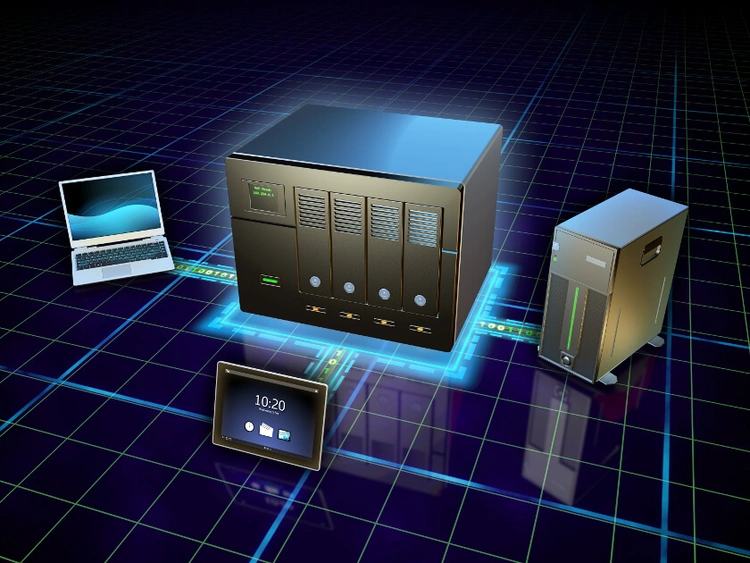
As data storage needs continue to grow, more people are turning to NAS (Network-Attached Storage) solutions for reliable and secure access to their files. But with so many options on the market, how do you choose the best NAS for your needs? This guide will break down the leading NAS brands, their strengths, and what to consider before making a purchase.
1. Introduction
A NAS is a dedicated storage device that connects to your network, allowing multiple users to store, access, and manage files from anywhere. Whether you’re looking for a home media server, business backup solution, or cloud storage alternative, a NAS can provide scalability and security without the limitations of traditional external hard drives.
Common NAS Use Cases
✅ Backups – Protect important files from accidental loss or corruption.
✅ Media Streaming – Store and stream movies, music, and TV shows across multiple devices.
✅ Home Automation – Store logs and automation scripts for smart home setups.
✅ Remote Access – Securely access your data from anywhere in the world.
2. Key Factors to Consider When Choosing a NAS
Understanding RAID: Which One is Right for You?
RAID (Redundant Array of Independent Disks) is used to improve performance, redundancy, or both. Here’s a breakdown of the most common RAID types:
- RAID 0 (Striping) – Fastest performance, but no redundancy. If one drive fails, all data is lost. Best for speed but risky for critical data.
- RAID 1 (Mirroring) – Copies data to two drives. If one fails, the other keeps your data safe. Great for backups and reliability but reduces usable space by 50%.
- RAID 5 (Striping with Parity) – Requires at least 3 drives. Data is spread across drives with parity (recovery data). If one drive fails, data is safe. Best for balancing storage, speed, and redundancy.
- RAID 6 (Dual Parity) – Similar to RAID 5 but can tolerate two drive failures. Ideal for critical business storage. Requires at least 4 drives.
- RAID 10 (Mirroring + Striping) – Combines RAID 1 and RAID 0, offering both speed and redundancy. Requires at least 4 drives and reduces usable storage by half. Best for high-speed performance with protection.
- SHR (Synology Hybrid RAID) – Exclusive to Synology NAS, allowing mixed drive sizes and automatic optimization of storage. Great for users who want flexibility.
👉 Which RAID should you choose?
- For maximum performance → RAID 0
- For basic redundancy → RAID 1
- For best balance → RAID 5
- For business-grade protection → RAID 6
- For speed + redundancy → RAID 10
- For flexible storage → SHR
How Many Drive Bays Do You Need?
Choosing the right number of drive bays is essential for balancing storage capacity, performance, and scalability. Here’s a quick comparison:
| Drive Bays | Storage Capacity | Best For | RAID Support | Scalability |
|---|---|---|---|---|
| 1-Bay | Limited to a single drive | Basic personal storage | No RAID | Not expandable |
| 2-Bay | Mirroring or basic RAID | Home backups & small media libraries | RAID 1 | Limited expansion |
| 4-Bay | More storage & RAID options | Power users, media servers, small business | RAID 1, 5, 6, SHR | Good balance of capacity & performance |
| 6+ Bay | High storage & enterprise RAID | Large-scale storage, business & professionals | RAID 5, 6, 10, SHR, advanced configurations | Highly scalable, future-proof |
3. DIY vs. Pre-Built NAS
Pre-Built NAS (Synology, QNAP, Asustor, etc.)
- Easy to use with a plug-and-play setup.
- Comes with user-friendly software like Synology DSM or QNAP QTS.
- Limited upgradeability (though some allow RAM or SSD cache upgrades).
DIY NAS (TrueNAS, Unraid, OpenMediaVault, etc.)
- Fully customizable and can run enterprise-grade features.
- Allows you to choose your own hardware for better performance at a lower price.
- Requires technical knowledge to set up and maintain.
4. Best NAS Options in 2025 (Entry-Level, Mid-Range, and High-End)
✅ Synology – Best for User-Friendly Software & Cloud Integration
Key Features: DiskStation Manager (DSM) UI, built-in cloud syncing (Google Drive, Dropbox), strong security tools, and great backup solutions.
✅ QNAP – Power & Expandability for Advanced Users
Key Features: 2.5G/10G networking, PCIe expansion (for GPUs, SSDs, or extra ports), and virtualization support.
✅ Asustor – Budget-Friendly NAS with Strong Multimedia Support
Key Features: Affordable pricing, 2.5G networking, HDMI output for media, and Plex/Jellyfin support.
✅ TerraMaster – Entry-Level NAS with Simple Setup
Key Features: Low-cost storage, easy-to-use UI, RAID 0/1/5/6 support, and Docker compatibility.
✅ UGREEN NASync – High-Performance & Open OS Support
Key Features: New to the market, strong hardware at competitive pricing. Allows users to install TrueNAS, Unraid, or OpenMediaVault without voiding the warranty. Seamless cloud backup integration.
📌 On a personal note, I’m currently transitioning from cloud storage to a UGREEN NAS. Its combination of high-performance hardware, flexible OS support, and hybrid cloud capabilities makes it an ideal choice for my needs.
5. Setting Up Your NAS
1️⃣ Install Hard Drives – Use WD Red, Seagate IronWolf, or Toshiba N300 drives.
2️⃣ Initial Setup – Access the NAS web interface and configure users & permissions.
3️⃣ Enable RAID & Backups – Set up RAID 1, 5, or 6 and sync backups to cloud or external drives.
4️⃣ Secure Your NAS – Change default admin passwords, enable 2FA, and disable unnecessary services.
For a more detailed setup guide, check out NAS & Network Storage: Why You Need It.
6. Small Buying Guide – What NAS Should You Choose?
If you’re still unsure, here’s a simple guide based on your needs:
- 💰 Budget-Friendly: TerraMaster, Asustor
- 📂 Best Software & Cloud Features: Synology
- 🚀 Most Expandable & Powerful: QNAP
- 🛠️ Full Customization & DIY Power: TrueNAS, Unraid
- 📡 Cloud & Hybrid Support: UGREEN NASync
7. Conclusion
Choosing a NAS depends on your storage needs, technical expertise, and budget.
No matter which NAS you choose, setting up proper backups, security measures, and performance optimizations will ensure the best experience.
Looking for more insights? Check out NAS vs. Cloud Storage: Which One Should You Choose?.
Which NAS are you considering? Let us know in the comments below!


Leave a Reply