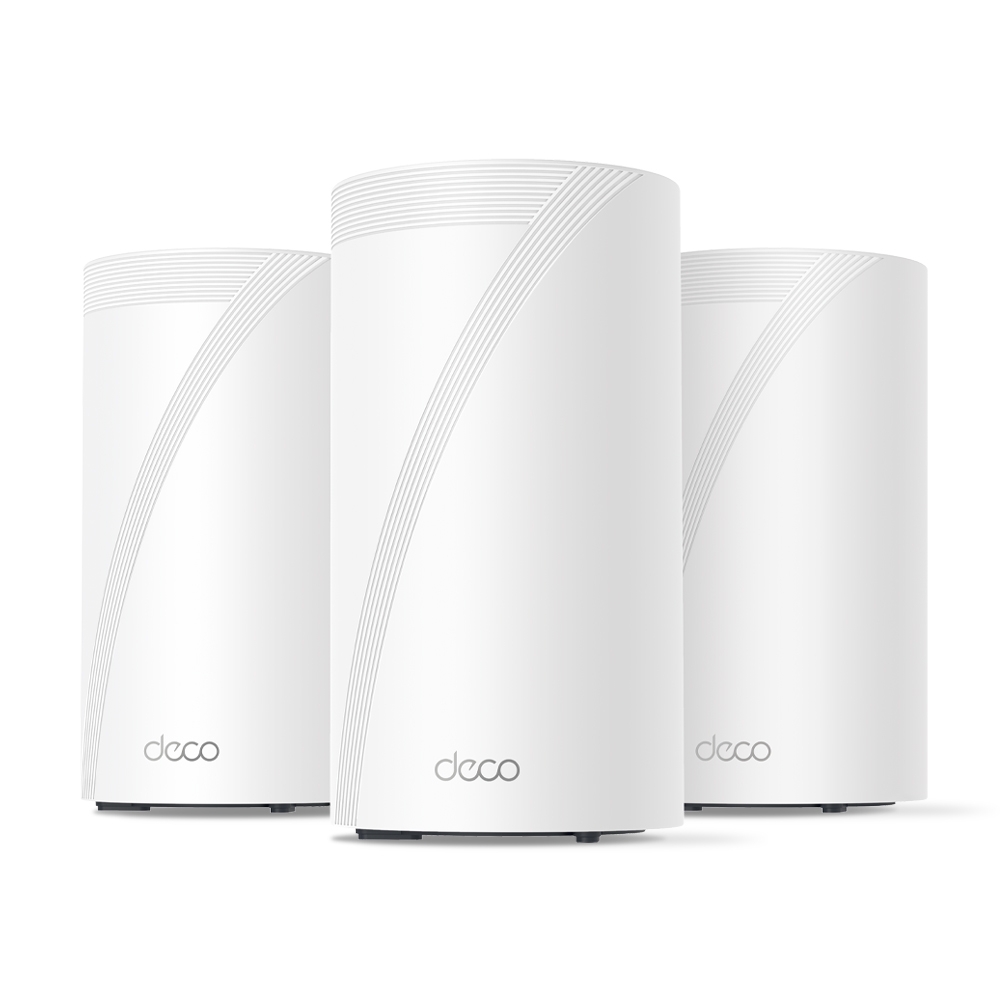
When I upgraded to a detached home with 10G fibre, I wanted a mesh system that could actually keep up — without costing a fortune. After researching TP-Link’s full Wi-Fi 7 lineup, I settled on the BE85. This post breaks down what I learned comparing the BE63, BE75, BE85, and BE95 — and why the BE85 came out on top for my setup.
Note: Some links in this post are affiliate links. If you buy something through them, I may earn a small commission — it doesn’t cost you anything extra, and it helps support the site. As an Amazon Associate, I earn from qualifying purchases.
🚨 Limited-Time Deal: TP-Link Deco BE63 (3-Pack)
Buy the TP-Link Deco BE63 (3-Pack) on Amazon →
🟢 Deal Price: $398.99 (was $599) — Offer valid through July 11
💳 Bonus: 25% back in Amazon Prime Card rewards (if applicable)
🛜 BE10000 Tri-Band Wi-Fi 7 Speeds:
- 5188 Mbps on 6 GHz
- 4324 Mbps on 5 GHz
- 574 Mbps on 2.4 GHz
📦 What You Get: Covers up to 7,600 sq ft, supports 200+ devices, and includes 4× 2.5G LAN/WAN ports + 1× USB 3.0 port per unit.
🧠 Features:
- Simultaneous wired + wireless backhaul
- AI-driven seamless roaming
- Full backwards compatibility with any ISP or Wi-Fi generation
Why I Went Mesh
When I moved into a detached townhouse, one of my priorities was ensuring stable Wi-Fi coverage across all floors and rooms. Thick internal walls and a slightly larger footprint than a typical apartment made single-router setups unreliable — especially toward the edges of the house.
Rather than run cables through walls or deal with signal dropouts, I opted for a mesh Wi-Fi solution. A multi-node system gave me full coverage with seamless handoffs between access points, eliminating dead zones and ensuring solid speeds everywhere from the bedroom to the garden.
TP-Link BE Series Compared: BE63 vs BE75 vs BE85 vs BE95
TP-Link’s Wi-Fi 7 mesh lineup (BE series) includes four main models: BE63, BE75, BE85, and BE95. While all support Wi-Fi 7, their specs and use cases differ significantly.
🔹 TP-Link Deco BE63
- Bands: Tri-band (2.4GHz + 5GHz + 6GHz)
- Speeds: Up to 11Gbps combined
- Ethernet:
- 1× 2.5G WAN/LAN port
- 3× 1G LAN ports
- Coverage (2-pack): ~5,500 sq ft
- Backhaul: Wireless only (no 10G or dedicated backhaul port)
- Use Case: Budget Wi-Fi 7 for small to medium homes
- Pros: Most affordable Wi-Fi 7 mesh option, good performance for the price
- Cons: Lacks 10G ports, weaker wired backhaul support
🔹 TP-Link Deco BE75
- Bands: Tri-band (2.4GHz + 5GHz + 6GHz)
- Speeds: Up to 17Gbps combined (11,530 Mbps on 6GHz, 4,324 Mbps on 5GHz, 688 Mbps on 2.4GHz)
- Ethernet:
- 1× 10G RJ45/SFP+ WAN/LAN combo port
- 3× 2.5G WAN/LAN ports
- Coverage (2-pack): ~6,000–6,300 sq ft
- Backhaul: Supports simultaneous wired + wireless Multi-Link Operation (MLO)
- Use Case: Mid-tier Wi‑Fi 7 mesh with flexible wired and wireless backhaul—great for users with multi-gig (up to 10G) internet but not requiring full BE85/BE95 performance.
- Pros: Future-proof 10G port, strong throughput and coverage, 8‑stream Wi‑Fi 7
- Cons: Only one 10Gbps port (others are 2.5G), no dedicated backhaul band
🔹 TP-Link Deco BE85
- Bands: Tri-band (2.4GHz + 5GHz + 6GHz)
- Speeds: Up to 22Gbps combined
- Ethernet:
- 2× 10G ports (1× SFP+ combo, 1× RJ45)
- 2× 2.5G LAN ports
- Coverage (2-pack): ~9,600 sq ft
- Backhaul: Supports 10G wired backhaul
- Use Case: Large homes, power users, multi-device households
- Pros: Great performance, future-proof ports, excellent coverage
- Cons: Pricier than BE63/BE75 but offers much more
🔹 TP-Link Deco BE95
- Bands: Quad-band (2.4GHz + 5GHz-1 + 5GHz-2 + 6GHz)
- Speeds: Up to 33Gbps combined
- Ethernet:
- 2× 10G ports
- 2× 2.5G LAN ports
- Coverage (2-pack): ~9,600–10,000 sq ft
- Backhaul: Dedicated band for wireless backhaul + full 10G support
- Use Case: Power users, wired smart homes, 2G/10G+ multi-gig setups
- Pros: Absolute top-end performance, dedicated backhaul band, fastest speeds
- Cons: Very expensive — overkill for most homes
Why I Chose the TP-Link BE85
After reviewing all the options, the BE85 hit the sweet spot for my needs. My ISP provides 10G fibre to the home, and I wanted to actually make use of it — not bottleneck it with a 1G router. The BE85 offered:
- ✔ Full 10G WAN + LAN support
- ✔ Fast, reliable tri-band Wi-Fi 7
- ✔ Wired backhaul with 10G performance
- ✔ Substantially lower cost than the BE95, without sacrificing much
Another key reason I went with TP-Link over brands like Netgear, Asus, or Eero was price-to-performance. The BE85 delivers comparable (and in many cases better) real-world throughput and coverage than competing systems, while undercutting them significantly on cost. According to performance tests like those from Dong Knows Tech, the BE85 actually outperformed more expensive options — even the Netgear Orbi RBKE963 — in both speed and range.
Combined with the ease of use, clean app, and rapid firmware support from TP-Link, it made the BE85 one of the best-value Wi-Fi 7 mesh systems available — and still one of the top performers months after release.
Hands-On Impressions with the BE85
From the moment I unboxed it, setup was quick and painless using the TP-Link Deco app. The two units synced easily, and firmware updates were done within minutes. Here’s how it’s performed over several months:
🔹 Coverage & Range
I get full signal across the house — no buffering, no dropouts. Even in the furthest room on the second floor, I still get over 1.5 Gbps download — most recently clocking in at 1567 Mbps down / 742 Mbps up via Speedtest.

🔹 Speed Testing
Using a wired backhaul and 6GHz-capable devices, I regularly see speeds over 1.5 Gbps. More impressively, I’ve tested the connection multiple times with my 10G fibre line and reached as high as 7.58 Gbps down / 7.39 Gbps up during off-peak hours.
Even during peak usage times, I’ve seen 3.87 Gbps down / 1.64 Gbps up, which is still miles ahead of most home connections.

🔹 Stability
The system has been rock-solid. No node drops, no weird disconnects. I’ve only rebooted it once since installation — and that was due to a firmware update.
🔹 App Control
The Deco app is simple, but has most of what you need: device prioritisation, QoS, basic firewalling, guest network, and remote access.
🔹 Downsides?
Very few. It’s large compared to budget routers, and some advanced users might find the lack of granular settings (like VLAN tagging or deeper DHCP options) limiting — but for 99% of homes, it’s a premium experience.
Should You Buy the BE63, BE75, BE85, or BE95?
Choosing the right mesh system depends on your home size, internet speed, and how future-proof you want your setup to be. Here’s a quick guide based on everything covered:
✅ Go with the BE63 if:
- You’re upgrading from an older Wi-Fi 5 or early Wi-Fi 6 setup
- You want basic Wi-Fi 7 support at the lowest possible cost
- Your home is small to medium-sized and you’re not using multi-gig internet
✅ Consider the BE75 if:
- You want more bandwidth and coverage than the BE63
- You still don’t need 10G ports or wired backhaul
- You’re in a medium to large home with many devices
✅ Choose the BE85 if:
- You have a multi-gig or 10G internet connection
- You want wired backhaul support with 10G LAN/WAN
- You plan to run NAS, streaming, cloud backups or a smart home with heavy traffic
- You want premium performance without BE95 pricing
✅ Go for the BE95 only if:
- You absolutely need the best possible performance
- You’re in a very large home or smart home ecosystem with dozens of demanding devices
- You need quad-band Wi-Fi 7 and a dedicated wireless backhaul
Final Thoughts
The TP-Link BE series offers something for everyone, but the BE85 stands out as the true sweet spot. It’s powerful enough to make full use of 10G internet, provides rock-solid mesh coverage, and still comes in far cheaper than flagship systems from other brands.
For detached homes, users with demanding network setups, or anyone wanting to build around Wi-Fi 7 — this is one of the best options available.
If you’re considering the BE63 as a budget-friendly alternative, it’s a solid pick too — just be aware of its backhaul and port limitations.
Still deciding if Wi-Fi 7 is worth the leap? This breakdown of Wi-Fi 6, 6E, and 7 can help you figure out what’s best for your setup.
Leave a Reply